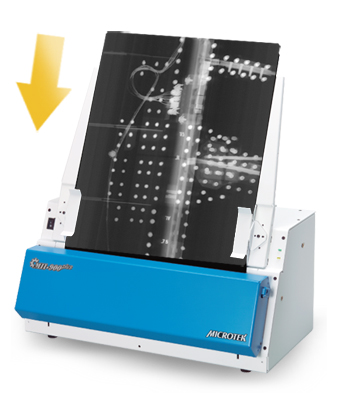
Industrial Scanner
ScanMaker 9800XL Plus
With the warm-up free energy saving LED light source, ScanMaker 9800XL Plus echoes to going green. An optical dynamic range of 0.15~3.6 Dmax 3.7 which delivers accurate color, superb shadows and highlights crisp details and sharp images without compromise. With a true optical resolution of 1600 dpi scanning, the Scan Maker 9800XL Plus captures a tremendous amount of details from your large-format A3 scanner areas, allowing scans to be printed perfectly and revealing superior image quality.

- Full Detail
- Specifications
- Features List
- Applications / Use Cases
- Download Brochure
ScanMaker 9800XL Plus
Optional TMA (Transparent Media Adapter) for scanning films and slides
With the use of the optional TMA (Transparent Media Adapter), you can scan positive transparencies, and negative film. The included templates accommodate a variety of film sizes,including 35mm slides, 35mm filmstrips, 4" x 5" film, and medium format film from 6 x 4.5-cm up to 6 x 17-cm panoramic film.

Bundled with LaserSoft Imaging's SilverFast Ai Studio
Optional bundled with LaserSoft Imaging's SilverFast Ai Studio, which is regarded as the best scanner software in the world, includes the fullfunctionality. The patented and award-winning SilverFast Multi-Exposure® increases the scanner'sdynamic range, removes natural image noise and provides more details.

State-of-the-art PictuRescue system
With ColoRescue, the ScanMaker 9800XL Plus restores faded colors in photos and film, bringing hues back to their original luster and brilliance for more vibrant images. ColoRescue's one-click, automatic color recovery process is simple and easy to use.

ScanWizardTM Pro scanning software ( PC Only )
This is an advanced scanner controller program that provides many powerful, professional-level features for scanning. ScanWizard Pro features two color spaces, allowing users to work in the Native CMYK / RGB mode, as well as in the intuitive LCH (Lightness, Chroma, Hue) mode.
►Auto Dynamic Range
The system automatically determines the lightest density or tone (Dmin) and darkest tone (Dmax) of the original; then it captures the image color data with the full input tonal range of the scanner. This setting optimizes color balance and the contrast of the output image, and is most useful for scanning negative films.

►Multiple Sampling
Multiple Sampling is a process in which the scanner samples each line in the image a number of times, then obtains an average to reduce random noise.

►Descreen
Descreen feature can remove moire patterns when scanning pictures or photographs printed in magazines or newspapers.

Tailor-made Scanning Software for Mac System
ScanPotter scanning software, exclusively designed for Mac OS. More Details about ScanPotter
►OCR images into texts
The printed texts can be transferred into digital data easily and fast, saving a lot of time from entering texts manually and improving usages of images.
►Scan and Auto-crop Multiple Images
With this feature, the scanner is able to crop and extract multiple images in just one scan automatically, saving extra time from document scanning and image cropping.
►Auto-crop and auto-deskew
The auto-crop function automatically detects the size of the original image, crops the full scan frame to fit the image, and removes unwanted black borders. The auto-deskew function automatically corrects distorted images for proper alignment.
►Online Update
When detecting the latest version through the Internet, ScanPotter will automatically remind users to download the update.
Specifications
| Item | Details |
| Product Name | ScanMaker 9800XL Plus |
| Scanner Type | Desktop color flatbed scanner |
| Image Sensor Type | CCD |
| Resolution | 1600dpi x 3200dpi |
| Light Source | LED |
| Scanning Mode | Color / Grayscale |
| Scanning Area | Reflective: 12" x 17" Transparent: 12" x 16" |
| Scanning Speed | Transparency ≥ 0.15~3.6 Dmax 3.7 |
| Connectivity | Hi-Speed USB (USB 2.0) |
| Drivers | TWAIN |
| Smart-Touch Buttons | 1 button |
| Supported File Types | PDF, JPG, TIF, BMP, PCX, DCX |
| OS Support | Windows 7/8/10/11(ScanWizard Pro) ; OS X 10.10 - macOS 10.14 (ScanPotter) ; macOS 10.15 or later (ScanPotter 2) |
| Dimensions (L x W x H) | 24.7" x 14.8" x 5.1" (627.38 mm x 375.92 mm x 129.54mm) |
| Weight | 26.4 lbs (12 kg) |
| Certifications | CE, FCC, BSMI, CB, CCC |
| Power Source | AC 100V ~ 240 V |
| Power Consumption | 28 Watts (Operation mode) 8.4 Watts (Sleep mode) <1Watts (Off mode) |
| System Requirements for PC | CD-ROM drive (for installing software) Color display with 24-bit color output capability 512 MB RAM or more Pentium IV PC or higher with USB 2.0 port Microsoft Windows 7/ 8/10/11 |
| System Requirements for Mac | MacBook (Early 2015 or newer) MacBook Air (Mid 2012 or newer) MacBook Pro (Mid 2012 or newer) Mac mini (Late 2012 or newer) iMac (Late 2012 or newer) iMac Pro (2017) Mac Pro (Late 2013 or newer) |
| Software Included | Microtek ScanWizard Pro Microtek Scanner ICC Profiler Microtek LAN Wizard (Network Scanning utility) (PC) |
| Accessories | Scanner unit Hi-Speed USB (USB 2.0) cable Power cord Software CD(s) User’s manual(s) |
| Accessories | TMA 1600 III (Optional), Template package for TMA 1600 III (Optional) SilverFast Ai Studio |
*Product specifications described herein are subject to change without notice.
Features List
Expansive A3 Flatbed Scanning:Features a large 11.8” x 17” (300 mm x 431.8 mm) scanning surface, allowing oversized artwork, maps, and blueprints to be digitized in a single pass without any software stitching errors.
1600 x 3200 dpi Optical Resolution:Built with a professional-grade color linear CCD sensor that delivers excellent image sharpness, color accuracy, and fine detail retention across the entire scanning bed.
High-Fidelity 3.7 Dmax Dynamic Range:Equipped with a wide optical density range that captures rich tonal gradations, faithfully preserving details in both bright highlights and deep, dark shadows.
Dual-Interface Connectivity:Offers flexible system integration options by supporting both high-speed USB 2.0 and FireWire (IEEE 1394) interfaces, ensuring stable and fast data transmission to host computers.
Smart Automated Document Softwares:Bundled with specialized ScanWizard DI software, providing production-grade processing tools like automatic cropping, automated deskew, color dropout for business forms, and text-sharpening filters to maximize OCR accuracy.
Applications / Use Cases
Graphic Design & Digital Art Creation:Used by design studios and artists to convert large physical sketches, storyboards, advertising layouts, and colored illustrations into high-resolution, print-ready digital assets.
Corporate & Government Records Management:Perfect for government bureaus, law firms, and corporate offices to scan thick legal ledgers, financial binders, accounting vouchers, and public registry books into permanent digital archives.
Publishing Houses & Historical Libraries:Tailored for media companies and historical societies to scan large newspaper spreads, old books, magazines, and fragile historical manuscripts with edge-to-edge clarity.
Architecture, Engineering & Construction (AEC):Ideal for engineering offices and construction firms to rapidly digitize, catalog, and archive large architectural blueprints, industrial CAD schematics, and mechanical drawings.